Find your comp.
Keep it close.
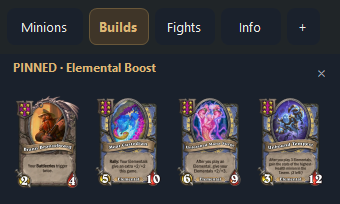
Browse ranked Solo build guides, see the core pieces and pin a plan. Your pinned build stays visible even when the sidebar is minimized.
The same Solo guides in both modes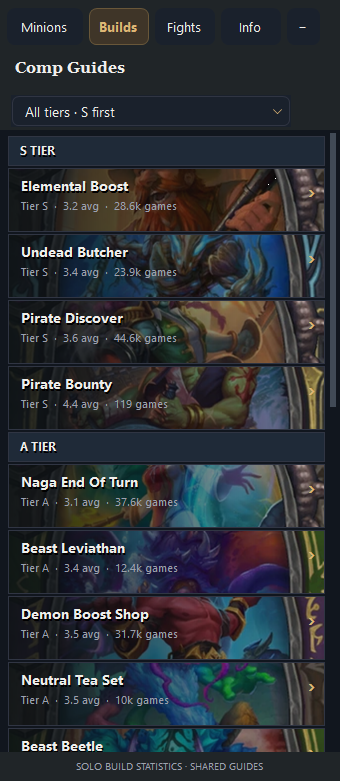
 TavernLens Download for Windows
YOUR UNOFFICIAL BATTLEGROUNDS COMPANION
Your cards, builds and last-seen boards. Right where you play. Meet the overlay that keeps up with your next questionable decision.
Free to download · Windows 64-bit · Solo + Duos
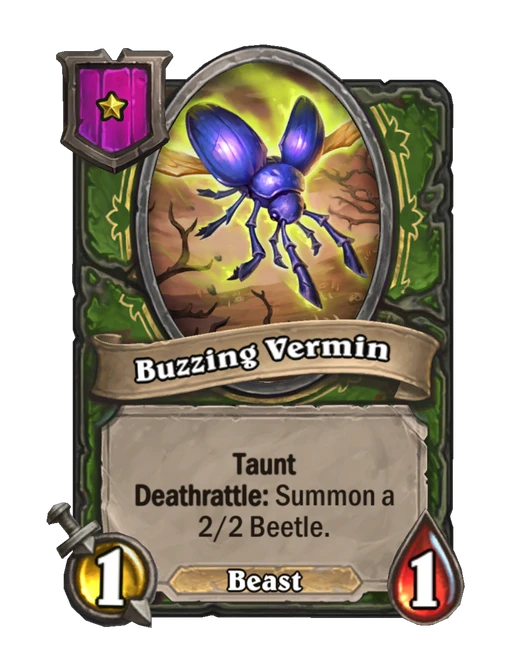
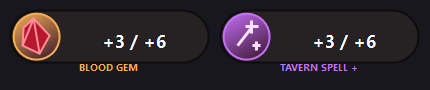 Live buff counters · example values
Public statistics by Firestone · used with permission.
SMALL OVERLAY. BIG HELP.
Built to sit alongside Hearthstone, with compact panels you can browse and minimize.
Browse ranked Solo build guides, see the core pieces and pin a plan. Your pinned build stays visible even when the sidebar is minimized.
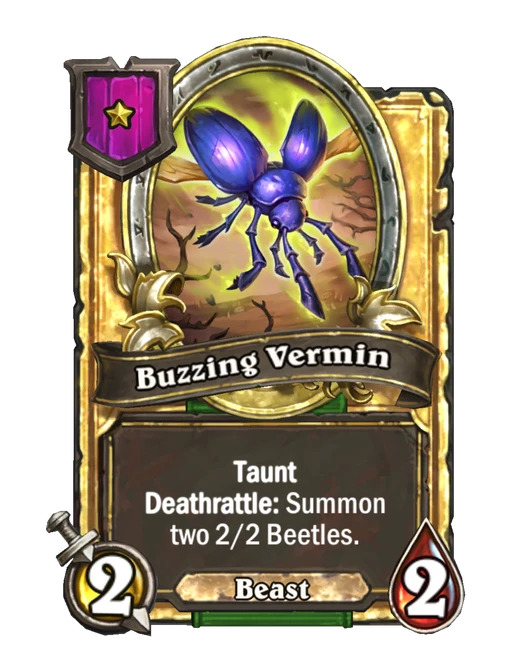
The same Solo guides in both modesFilter the minion library by tier and tribe. Hover to inspect the normal and golden card previews.
Hover an opponent’s portrait to revisit their last recorded board. Only previously revealed lineups are shown.
24 active-only counters cover Undead attack, Blood Gems, Tavern spells, general and tribe-specific Tavern buffs, Beetles and more. A badge appears when its bonus is active, clears when the bonus resets, and hides when the match ends or the log is truncated.

Illustrative values. Only your active bonuses appear in game.
Automatic mode detection and MMR tracking, with separate ratings for each mode.
The five-column combat bar adds lethal chances beside win, tie and loss. Solo lethal estimates respect the observed damage cap. Duos requires all four warbands; Duos lethal estimates are currently unavailable.
Recover the current game and previously revealed boards when the game’s logs are available.
WHAT’S NEW IN 1.0.16
New in 1.0.16: statistics are credited to Firestone, used with permission. App credits and statistics links now point to Firestone, including when using cached data. Read the update history →
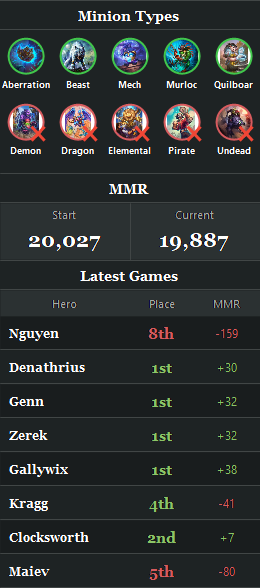
See available minion types, starting and current MMR, and your latest eight games with placement and rating changes. Ten current types, including Aberrations. Naga is rotated out.
Lethal / win / tie / loss / lethal at the top of the game. During recruitment, the bar shows Previous Combat. Corrected lethal calculations respect the observed damage cap; missing data stays blank.
From 1.0.14, TavernLens checks this website on launch, verifies the download and installs silently before reopening in the background. Your settings and history stay in place.

30 SECONDS. SOUND OPTIONAL.
One brain cell. Fully buffed. Meet the active-only counters, combat estimates, hero tiers and pinned builds in our new 30-second trailer. Sound on for the funk.
Take it to the tavernREADY FOR YOUR NEXT LOBBY?
One Windows installer. Your own little edge of the screen.
Download TavernLensWindows 64-bit · Installer, approximately 39 MB · Version 1.0.16 · Updated 9 November 2026
Run the installer and choose whether to add a desktop shortcut.
Open TavernLens. Open Setup and sources and click Enable tracking if logging is missing. Restart Hearthstone after enabling it.
The overlay follows the game. Pick a guide, pin your build and play.
Naga rotated out when Aberrations joined the pool. The left panel shows the current ten minion types, and the right-side current minion browser excludes retired Naga. Historical cards remain available for recorded fights.
Only active bonuses are shown. Undead attack, Tavern buffs and spell buffs appear after their bonus is detected. Blood Gems appear once buffed beyond their base +1/+1. Counters clear when their bonus resets or the match finishes. If the game log is truncated, stale counters are hidden.
Hero statistics come from community sources and may lag behind a game update. Recent previous-patch data is labelled instead of presented as current-patch data. Check the app’s source and build status for details. A hero without usable source data can still show “no data”.
Read the status below the percentages. Estimates are withheld for unsupported builds, effects or incomplete boards. Duos needs all four warbands. If logging stopped at its size limit, open Setup and sources, enable tracking and fully restart Hearthstone. Some logging changes may require administrator access.
Both modes support tracking, with automatic detection and separate MMR. Build guides use Solo compositions in both modes. Duos combat estimates need all four revealed warbands, so they may appear late or be unavailable.
No. Board history contains previously revealed information. Combat percentages are experimental estimates: unknown hands, counters and unsupported effects can change the result. Unsupported situations withhold estimates.
TavernLens 1.0.14 and later check this website on launch and apply verified updates silently. If you have 1.0.13 or earlier, run the website installer once to switch to website-only updates. Installing over your existing copy preserves settings and match history.
TavernLens is an independent companion and is not affiliated with or endorsed by Blizzard Entertainment, Hearthstone Deck Tracker or HSReplay. Hearthstone and its card artwork belong to Blizzard Entertainment. Public statistics originate from Firestone and are used with permission.